
Is Your Meeting Room Network a Cybersecurity Risk?

Is your meeting room network a cybersecurity risk? The honest guide to how AV devices expose your business, and what an IT team should check first.
Chris Gore | Updated 2026
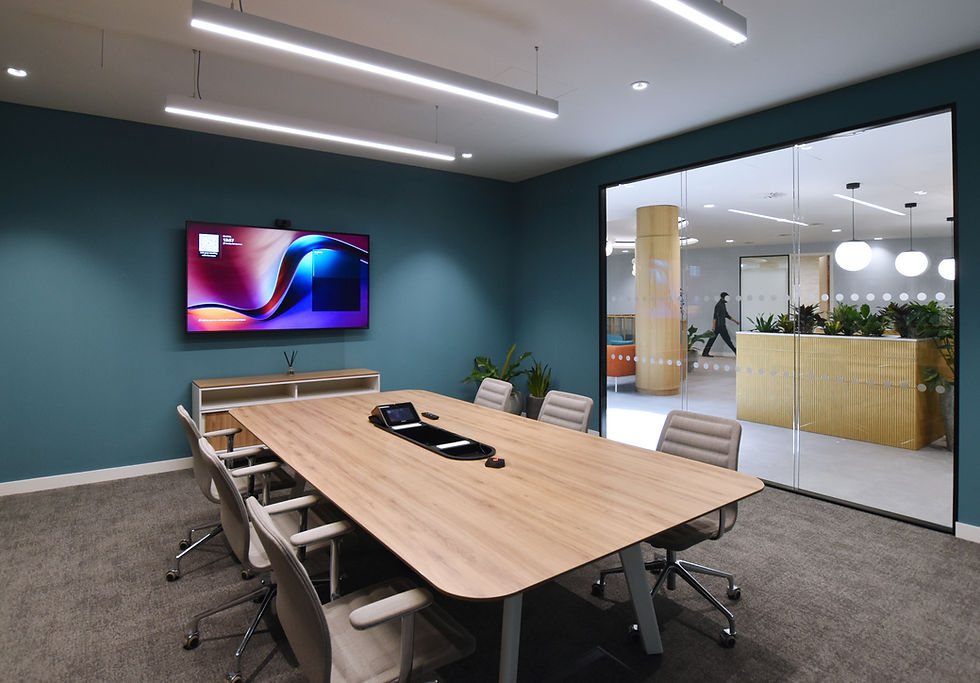
A meeting room network security gap rarely looks like anything at all. It looks like a video bar that has been running the same firmware since installation, a touch panel that anyone in the building can log into, and a room booking screen that has been quietly sitting on the same network as the finance team's laptops for three years. Most businesses spend a great deal of time securing their computers and almost none securing the AV equipment plugged into the same network. read the full breakdown here.
That gap is worth closing. The devices in a meeting room, cameras, microphones, touch controllers, digital signage players, are small computers. They connect to the internet, they run software, and like any other device on the network they can be a way in if nobody is watching them.
Why Meeting Room Devices Are an Overlooked Risk
IT teams patch laptops and servers as a matter of routine. Meeting room devices tend to be installed once and left alone. A video bar, a touch panel or a wireless presentation dongle often sits on the same network as everything else in the building, running whatever firmware it shipped with, because nobody has been given the job of checking it.
This matters because AV devices are not simple screens. Modern video bars run a full operating system, connect to cloud services for updates and diagnostics, and often have a microphone and camera permanently attached. A device like that, left unpatched and unmonitored, is a weak point that a determined attacker can use to move further into the network.
The Most Common Meeting Room Network Security Gaps
The same handful of gaps show up in most offices we survey.
Default admin passwords left unchanged on touch controllers and room booking panels.
AV devices sitting on the same flat network as staff laptops, with no separation.
Firmware updates that have never been applied since the day of installation.
Wireless presentation systems that accept a connection from any device in range.
Room booking screens or digital signage players still logged into an old employee's account.
Related reading: Single Sign-On and Meeting Room Panels: What IT Teams Need to Know.
What Good Meeting Room Network Security Looks Like

Separate the AV Estate Onto Its Own Network
The single most effective step is putting AV devices on their own VLAN, separate from staff laptops and separate from finance and HR systems. If a camera or touch panel is compromised, it should not be able to see anything else on the network. This is standard practice for a well designed installation and should be non negotiable in any new AV brief.
Patch AV Devices Like You Would Patch a Laptop
Firmware updates for video bars, codecs and control systems close real vulnerabilities, not just add features. A managed AV support contract should include scheduled firmware updates as standard, not as an optional extra that only happens when something breaks.
Related reading: What Is an SLA and What Should Your AV Support SLA Actually Include?.
Monitor for Faults and Unusual Activity
A proactive monitoring platform flags a device that has gone offline, is behaving unexpectedly or has not been patched in months, long before it becomes a security incident or a meeting failure. This is one of the strongest arguments for a managed service over a fit and forget installation.
Control Who Can Log Into a Meeting Room Panel
Touch controllers and room booking screens should require the same standard of access control as any laptop in the building. Single sign-on stops a shared, unchanged password from sitting on a panel in reception for years, and it gives IT a clean way to remove access the day someone leaves the business rather than months later.
Building Meeting Room Network Security Into a New AV Brief
The cheapest point to fix a meeting room network security gap is before the installation happens, not after. A proper AV brief should state which network segment devices will sit on, who is responsible for patching, and what happens when a device is decommissioned. Businesses that leave this out of the brief tend to be the same businesses still running three year old firmware when a fault, or an audit, forces the question.
None of this requires a specialist security team. It requires an AV partner who treats a video bar as a networked computer rather than a screen, and an IT team who are told what is on the network in the first place.
Want to Know Before Your Meeting Room Does? |
Frequently Asked Questions
Can a meeting room camera really be a cybersecurity risk?
Yes. A meeting room camera is a networked computer with a microphone and camera attached. If it is left unpatched and sitting on the same network as the rest of the business, it can be used as a way into other systems.
What is the biggest meeting room network security mistake businesses make?
Leaving AV devices on the same flat network as staff laptops and servers, with no separation and no monitoring. Most AV related security incidents start from this single design decision.
Should meeting room AV be on a separate VLAN?
Yes. Separating AV devices onto their own VLAN means that if one device is compromised, it cannot see or reach anything else on the network. This is standard practice on a well specified installation.
How often should AV firmware be updated?
AV firmware should be checked and updated on the same schedule as any other business critical device, typically as part of a managed support contract rather than only when a fault appears.
Who is responsible for meeting room network security, IT or the AV company?
Both. The AV company is responsible for installing devices correctly and offering ongoing patching and monitoring. The IT team is responsible for network segmentation and access control. Neither should assume the other has it covered.


Comments