
What Is AV and Why Does Your Business Actually Need It?

What is AV and why does your business need it? The plain English guide to the six components of a meeting room and how to get it right.
Chris Gore \ Updated 2026

AV stands for audio-visual. In a meeting room context it covers every component that enables a video conference call, the screen people look at, the camera that captures them, the microphones that pick up their voices, the speakers that deliver remote voices into the room, the computer running the meeting platform and the controller that lets anyone start the call without needing IT support.
Get all six right and the room is invisible. Nobody talks about it because there is nothing to say. Get any one of them wrong and the room gets a reputation that is very hard to shift. This is the plain English guide to what AV means for a UK business in 2026 and the most common ways organisations get it wrong.
The Six Components of a Meeting Room AV System
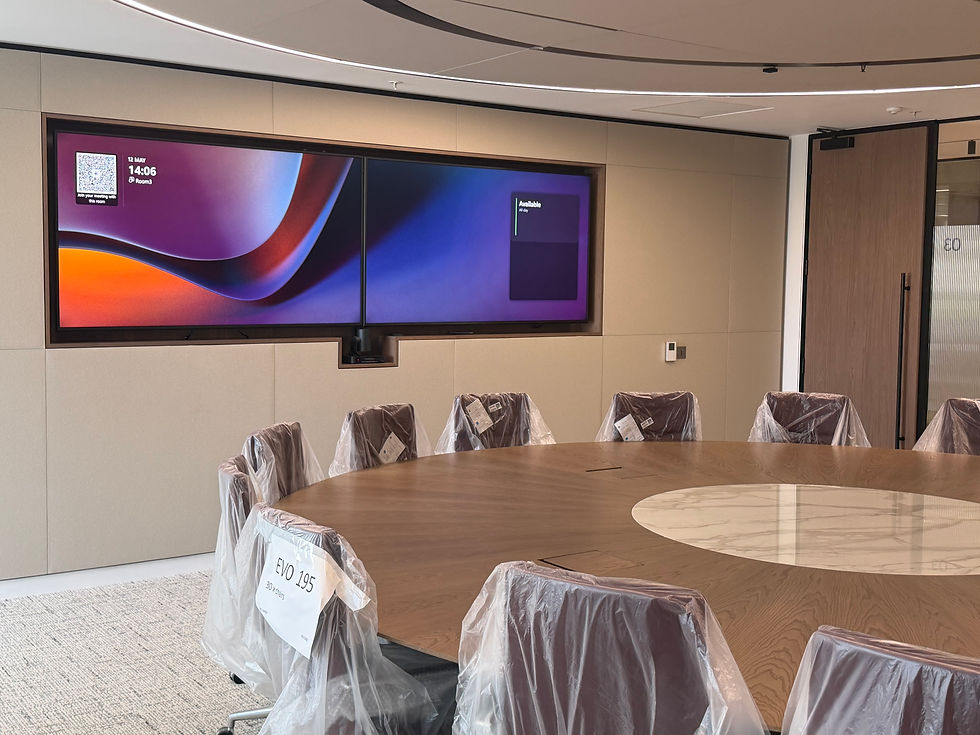
Display
The screen on the wall. It shows the presentation content and the faces of remote participants. Commercial grade only, not a consumer television. Sized to the room using the rule of one inch of screen diagonal per foot of viewing distance. A 55 inch display in a ten-person room is too small. A dual display setup shows content on one screen and participants on the other, which is the right approach for hybrid meetings.
Camera
Captures everyone in the room for remote participants. For rooms under ten people, an all-in-one video bar with a wide-angle 4K camera is the right solution. For larger boardrooms, a dedicated PTZ camera with optical zoom is needed to clearly capture participants at the far end of the table. For a comparison of the main video bar options, read Neat vs Logitech vs Yealink.
Microphone
The most underspecced component in most UK meeting rooms. Picks up all voices in the room clearly and transmits them to the call. For small rooms, the microphone built into the video bar is adequate. For boardrooms and larger spaces, a ceiling microphone array from Shure or Biamp provides even coverage across every seat without anyone needing to lean toward a device.
Speaker
Delivers remote voices into the room so everyone can hear the call clearly without straining. The size and placement of the speaker needs to be matched to the room dimensions. A video bar speaker is fine for small rooms. A larger meeting room or boardroom needs purpose-built room speakers tuned to the space.
Compute
The device running the meeting platform, Microsoft Teams, Zoom or Google Meet. In most meeting room setups, this is an Android compute unit built into the video bar. For premium setups requiring Windows and the full Teams Rooms feature set including Copilot, a dedicated Windows compute device is added separately.
Touch controller
The touchscreen on the table that makes the room usable for everyone without IT knowledge. The Logitech Tap, Neat Pad and Yealink CTP25 are the main options for UK meeting rooms. One tap joins the scheduled meeting. No laptop required. No joining link required. This is the component that determines whether a room gets used or avoided.
Why Most Businesses Get AV Wrong
Buying hardware before defining the use case
The spec should follow the room. What size is it? How many people sit in it? Is it used for client presentations or internal catch-ups? Is it a formal boardroom or a drop-in space? A client-facing boardroom and a staff huddle room need completely different specifications. Treating them the same way produces rooms that overperform in some spaces and critically underperform in others. Use the AV brief generator to define your requirements before talking to any supplier.
No commissioning after installation
Plugging it in is not commissioning. A properly commissioned room has every setting configured to the specific space, camera presets, microphone sensitivity, echo cancellation, gain structure, touch controller logic, calendar integration. A room that is installed but not commissioned will underperform regardless of the quality of the hardware. This is the step most installers rush or skip entirely.
No monitoring after handover
The room that worked at installation fails six months later because firmware drifted, a cable worked loose or a software update changed how the platform handshakes with the hardware. Without monitoring, nobody knows until it fails during a meeting. SPORTrack monitors every connected device in real time. Most problems are caught and resolved before anyone walks in for a meeting.
Treating all rooms the same
A standardised spec applied across rooms of different sizes and different use cases produces rooms that are wrong for some of them. Use the what type of AV company do you actually need quiz to understand your specific requirements before committing to any approach.
How to Get Started Without Talking to a Salesperson
READY TO GET STARTED?
Get a price for your meeting rooms — in minutes
Fill out a short form — tell us your room sizes, headcount and platform.
We'll come back to you with exactly what we'd recommend and why, with a price guide included.
No jargon. No pushy sales calls. Just a straight answer.
TAKES 2–3 minutes | INCLUDES Full price guide | COST Completely free |
For the full picture of what a meeting room costs in 2026, read our 2026 meeting room AV cost guide. And if your budget never seems to go far enough, read why your AV budget is probably wrong.
Frequently Asked Questions
What does AV stand for?
AV stands for audio-visual. In a meeting room context it covers every component that makes a video conference call possible, the display, camera, microphone, speaker, compute device and touch controller.
What is included in a meeting room AV system?
A complete meeting room AV system includes a commercial display, a camera, microphones, speakers, a compute device running the meeting platform and a touch controller. For larger rooms, a dedicated DSP processor for audio management is also included.
What is the most important component of a meeting room?
All six components matter. The most commonly underspecced is the microphone, most rooms have inadequate microphone coverage which produces poor audio quality for remote participants. The most visible failure point is the touch controller, if participants cannot start a meeting without IT help, the room fails its primary purpose.
How much does a basic meeting room AV setup cost?
A basic huddle room setup for two to four people costs from around £1,500 to £3,000. A properly specced mid-range meeting room for six to ten people runs £3,000 to £8,000. A full boardroom costs £15,000 to £30,000 and above. Use the AV pricing estimator for a figure based on your specific rooms.
Do I need a separate company for AV installation?
Not necessarily. SPOR Group handles the full process — design, supply, installation, commissioning, training and monitoring. The key is choosing a supplier that does not treat handover as the end of the project. Post-installation monitoring is as important as the installation itself.

Comments