
Logitech Scribe vs Huddly IQ: Which AI Whiteboard Camera Is Right for Your Room?

Logitech Scribe vs Huddly IQ, the honest 2026 comparison. Which AI whiteboard camera is right for your meeting room?
Chris Gore | Updated 2026
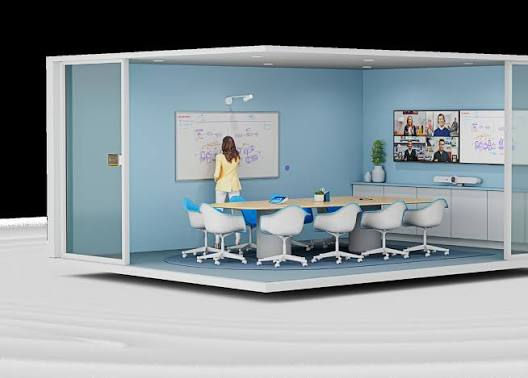
The question of how to include a physical whiteboard in a hybrid meeting has been around since hybrid working began. Two of the most commonly shortlisted solutions are the Logitech Scribe and the Huddly IQ. Both use AI. Both involve a camera in the room. But they are solving the problem in fundamentally different ways, which means the right choice for one room type is completely wrong for another.
How They Actually Differ
Logitech Scribe
A dedicated AI whiteboard camera. Mounts above the whiteboard. Captures what is written on the whiteboard surface and shares it to remote participants as a clean, readable image in real time. Teams and Zoom certified. Does not require a separate app. Works alongside whatever video bar the room already has for the video call itself. Does one job and does it exceptionally well. The right choice when whiteboarding is a regular and important part of how the room is used.
Huddly IQ
A wide angle AI meeting camera covering the whole room. AI-powered speaker framing tracks active participants and keeps them centred in frame. Can be positioned to capture whiteboard content as part of a wider room view, though this is not its primary function. More flexible deployment options than the Scribe. The right choice when full room camera coverage is the priority and whiteboarding is occasional rather than a core workflow.
When to Choose Each One

Choose Logitech Scribe if
• Whiteboarding is a regular and important workflow in this room — not occasional
• The room already has a video bar for the call. Scribe is the whiteboard add-on, not a replacement
• Remote participants frequently need to read whiteboard content clearly during sessions
• A dedicated device that does one thing perfectly is preferred over a flexible device that does several things adequately
Choose Huddly IQ if
• Full room AI camera coverage is the primary need and whiteboarding is occasional
• One camera covering the whole room is more practical than two separate devices
• Budget favours a single camera solution rather than a video bar plus Scribe combination
• The room layout makes a single wide-angle camera more appropriate than a dedicated whiteboard mount
Use both if
• The room is a dedicated collaboration space used heavily for both video calls and whiteboarding
• Scribe for crystal clear whiteboard capture. A separate video bar for participant coverage
• The investment is justified by the frequency and importance of collaborative sessions in this specific room
SPOR Group installs both Logitech Scribe and Huddly IQ across UK corporate estates. Every recommendation starts with a site survey and use case assessment — specifically how frequently whiteboarding happens and what role it plays in the room's primary workflow. Not sure which type of camera solution is right for your rooms? The AV report quiz takes five minutes and helps clarify what your space actually needs.
Not Sure Which Camera Setup Is Right for Your Room?
Five questions. Find out what type of AV and camera solution your room actually needs before any supplier conversation.
|
Frequently Asked Questions
What is the Logitech Scribe?
The Logitech Scribe is a dedicated AI whiteboard camera that mounts above a physical whiteboard and shares whiteboard content to remote participants in real time. It is Teams and Zoom certified and works alongside a separate video bar rather than replacing it.
What is the Huddly IQ?
The Huddly IQ is a wide-angle AI meeting camera designed to cover the full room and track active speakers using AI framing. It can capture whiteboard content as part of a wider room view but is not a dedicated whiteboard camera.
Do I need both Logitech Scribe and a video bar?
Yes. The Logitech Scribe is a whiteboard camera only and does not capture participants or handle the video call. A separate video bar or camera is needed for the call itself. Scribe is an add-on, not a standalone room solution.
Which is better for a hybrid meeting room — Scribe or Huddly IQ?
If whiteboarding is a regular core workflow, Logitech Scribe provides better whiteboard image quality than Huddly IQ used for the same purpose. If whiteboarding is occasional and full room coverage is the priority, Huddly IQ is the more practical single-camera choice.


Comments