
How Long Does an AV Installation Take? What to Expect.

How long does an AV installation take? From single room to full fit-out — honest UK timelines, what causes delays and how to speed things up.
Chris Gore | Updated 2026
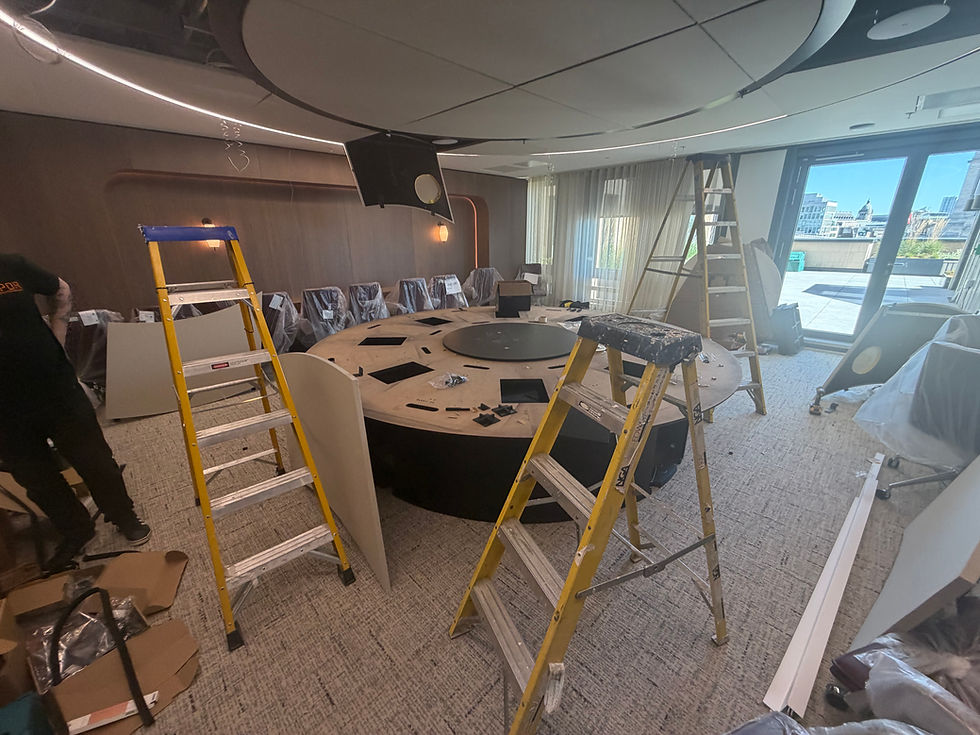
This is one of the questions asked most frequently by IT managers and office managers planning a fit-out or refurbishment and almost never answered clearly by AV suppliers. The honest answer is that it depends on the scope, the hardware lead times and how prepared the building is. This guide gives realistic timelines for UK projects of different sizes and explains the factors that cause delays.
The Five Phases of an AV Installation
Phase one: design and specification — one to two weeks
A site survey is conducted. Room dimensions are measured. Use cases are defined. The hardware specification is agreed. This phase determines every subsequent decision. A specification that is rushed or poorly defined creates problems at every subsequent stage. SPOR Group uses the AV brief generator to structure this phase efficiently before any site visit takes place.
Phase two: procurement and lead times — two to four weeks
Hardware is ordered once the specification is agreed. Commercial displays typically have lead times of two to four weeks. Some premium displays and specialist hardware run to six weeks. Video bars from Logitech, Yealink and Neat typically ship within one to two weeks. The total procurement lead time is determined by the longest single item. Ordering early is the single most effective way to keep a project on schedule.
Phase three: pre-installation preparation — three to five days
Cable routes are planned and agreed. If new cable runs are required through walls or ceilings, this work happens now before any AV hardware arrives on site. Network ports are confirmed. VLAN configuration is agreed with IT. If the network is not ready when the installation starts, the installation stops. Confirming network readiness in advance is critical.
Phase four: installation and commissioning — one to five days per room
Hardware is mounted. Cables are connected and dressed. The system is configured. Every device is tested. Camera presets are set. Microphone sensitivity is tuned. Calendar integration is confirmed. Echo cancellation is configured. Touch controller logic is checked. This phase takes longer than most clients expect because commissioning, the configuration work after mounting, is where the system is made to actually work rather than just power on.
Phase five: sign-off and handover — one day
Every room is tested against a defined standard. User training is delivered, enough for any staff member to use the room without IT support. The room is handed over confirmed working. Not confirmed powered on. For the most common reason rooms fail after this point, read why most AV installations fail six months after handover.
Realistic Timelines by Project Type
Project type | Total timeline | Key constraint |
Single huddle room | 2 to 4 weeks | Hardware lead times |
3 to 5 meeting rooms | 4 to 6 weeks | Procurement and scheduling |
Full floor — 10 plus rooms | 6 to 10 weeks | Phased installation and commissioning |
Multi-site UK deployment | 8 to 14 weeks | Logistics and site coordination |
International rollout | 6 to 12 months | Local compliance and local partners |
What Causes Delays and How to Avoid Them

Spec changes after procurement
Changing the hardware specification after equipment has been ordered is the most common cause of significant project delay. A display upgrade after ordering adds two to four weeks to procurement. Agreeing the final specification before any hardware is ordered prevents this entirely.
Network not ready
Cable routes not finalised. Network ports not in place. VLAN configuration not agreed. When the installation team arrives and the network is not ready, the installation stops. Every day of delay at installation stage costs engineer time and project management overhead. Confirming network readiness at least two weeks before the installation start date prevents this.
Building access restrictions
Out-of-hours working requirements, specific access windows, concurrent works on the same floor, all of these constrain when installation can happen and increase the elapsed calendar time. Confirming access windows before the project programme is set allows the schedule to be built around the constraints rather than discovering them at installation stage.
Delayed hardware ordering
Every day between specification sign-off and hardware order adds a day to the project timeline. Some organisations wait for formal procurement approval before ordering. Understanding the procurement process and initiating it as soon as the specification is agreed is the simplest way to protect the project timeline. Use the AV brief generator to define the specification clearly before the first supplier conversation — it speeds up everything that follows.
Planning an AV Installation and Not Sure Where to Start?
Generate an AV brief before talking to any supplier. It defines the requirement, speeds up the design phase and gives every supplier the same information to quote from.
|
Frequently Asked Questions
How long does an AV installation take?
A single meeting room takes two to four weeks from brief to handover including procurement lead times. Three to five rooms takes four to six weeks. A full floor fit-out of ten or more rooms takes six to ten weeks. Multi-site UK deployments typically run eight to fourteen weeks.
What causes delays in an AV installation?
The most common causes are specification changes after hardware has been ordered, network infrastructure not ready when installation starts, building access restrictions that constrain the installation window, and delayed hardware ordering after specification sign-off.
What is commissioning in an AV installation?
Commissioning is the process of configuring every setting on every device to the specific room after hardware is mounted. Camera presets, microphone sensitivity, echo cancellation, calendar integration, touch controller logic. A room that is installed but not commissioned underperforms from day one.
How do I speed up an AV installation?
Generate an AV brief before talking to any supplier. Confirm network readiness at least two weeks before installation. Order hardware immediately after specification sign-off. Confirm building access windows before the programme is set.
What should I prepare before an AV installation?
Agree the final specification before ordering anything. Confirm network ports, VLAN configuration and cable routes are ready. Book and confirm building access windows. Assign an internal point of contact for the installation team. Inform facilities and IT of the project timeline.


Comments