
Barco ClickShare vs Mersive Solstice: Which Wireless Presentation System Is Right for You?

Barco ClickShare or Mersive Solstice? The honest 2026 comparison covering guest experience, IT management, analytics and which suits your office
Chris Gore \ Updated 2026
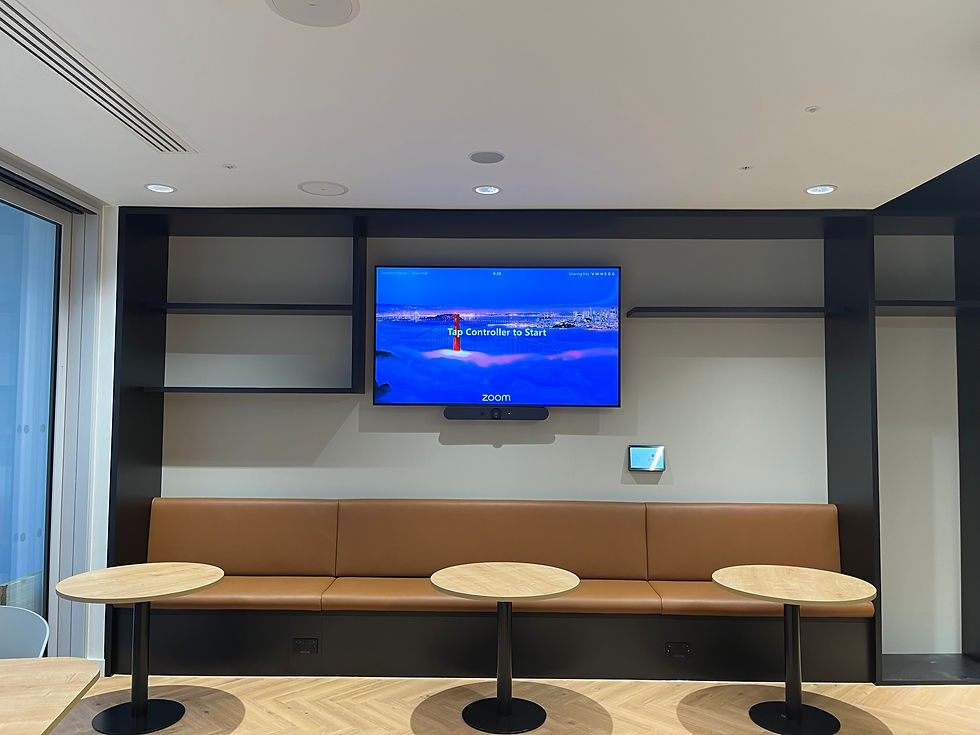
The cable hunt before a client meeting is one of the most reliably embarrassing moments in office life. Someone opens the drawer, finds four dongles that fit nothing, a USB-C cable that works on the right laptop but not the left, and an HDMI lead that reaches exactly two thirds of the way to the table. Then the client walks in.
Wireless presentation systems fix this. The shortlist for most UK organisations comes down to two names: Barco ClickShare and Mersive Solstice. Both let people share their screen to the room display without a cable. Both work with Teams and Zoom. And they are built for fundamentally different environments. This is the honest comparison. For a broader guide to wireless presentation options including Crestron AirMedia, read our wireless presentation system guide.
What Each Wireless Presentation System Actually Is
Barco ClickShare
Barco ClickShare is a hardware-based wireless sharing system. A small receiver unit sits behind the room display. Sharing buttons, USB dongles, connect to the button, sit on the table and allow anyone to share their screen by pressing the button. ClickShare also works via a software app and supports AirPlay and Google Cast. The defining feature is the hardware button. No app download. No account. Plug in the button and press it. The screen updates immediately.
ClickShare is the most widely deployed wireless presentation system in UK meeting rooms. Barco has invested heavily in the enterprise market and the CX-20, CX-30 and CX-50 range covers rooms from small huddle spaces to large boardrooms. Management sits in the XMS cloud platform across all deployed units.
Mersive Solstice
Mersive Solstice is a software-defined wireless sharing platform. A Solstice Pod sits connected to the room display. Sharing happens via the Solstice app, downloaded to the user's device, or via browser-based sharing with no installation required. There are no hardware buttons. The system is entirely software-based.
Solstice is particularly strong in analytics. Room usage data, sharing session duration, device types and occupancy patterns are all captured and available through the Solstice Dashboard. For organisations that want granular data on how meeting rooms are being used, Solstice offers more than ClickShare. It is also highly popular in education and large corporate environments where central IT management of many rooms across multiple sites is a priority.
How They Compare in 2026
Feature | Barco ClickShare | Mersive Solstice |
Connection method | USB button or app or AirPlay | App or browser-based |
Guest experience | Plug in button — no app needed | App download or browser share |
IT management | XMS centralised dashboard | Solstice Dashboard plus analytics |
Room analytics | Basic usage data | Detailed analytics and reporting |
Multi-user sharing | Up to 4 simultaneous | Up to 4 simultaneous |
Network requirements | Standard wifi or wired | Standard wifi or wired |
Best for | BYOD and external guests | IT-managed enterprise estates |
Price per room (hardware) | £600 to £2,500 plus | £800 to £2,000 plus |
Verdict | Simplest guest experience | Best enterprise analytics |
Which Is Right for Your Organisation?
Choose Barco ClickShare if
• You frequently host external guests or clients who should not need to download anything
• Plug-in-and-share simplicity is the priority above everything else
• Rooms are used by a mix of internal and external people throughout the day
• Budget is the primary consideration
• You want the most widely recognised and deployed wireless sharing brand in the UK
• IT management simplicity matters more than analytics depth
Choose Mersive Solstice if
• Your estate is IT-managed at enterprise scale and central control matters
• You need detailed room usage analytics — which rooms are used, when, for how long
• Browser-based sharing with no USB hardware is preferable
• Multiple sites with central management from a single dashboard
• You are in education or a large corporate environment with complex multi-room requirements
• Modular licensing as the estate grows suits the procurement model
If neither fits cleanly, read our broader wireless presentation system guide which also covers Crestron AirMedia as a third option for Crestron-ecosystem environments.
The Integration Problem Nobody Talks About

READY TO GET STARTED?
Get a price for your meeting rooms — in minutes
Fill out a short form — tell us your room sizes, headcount and platform.
We'll come back to you with exactly what we'd recommend and why, with a price guide included.
No jargon. No pushy sales calls. Just a straight answer.
TAKES 2–3 minutes | INCLUDES Full price guide | COST Completely free |
Both ClickShare and Solstice are straightforward to install in isolation. The receiver connects to the display, the network is configured and sharing works. The problem comes when the wireless system needs to work as part of a complete meeting room environment — alongside a video bar, a touch controller, a Teams Rooms compute device and a calendar integration.
ClickShare and Solstice both have integration options for Teams and Zoom environments. Configuring these correctly so that wireless sharing works within the Teams Rooms interface rather than as a separate parallel system requires proper commissioning. Installations where the wireless system was bolted on without considering the room ecosystem almost always result in staff using one or the other but never both seamlessly.
Network requirements
Both systems require a properly configured network segment. The receiver needs to be on a VLAN that allows it to communicate with user devices without being on the same corporate network as sensitive resources. Wifi interference from other devices in the same building can affect sharing performance. Firewall rules need to permit the relevant traffic. These are IT decisions that need to be made before installation, not after.
Every SPOR Group wireless presentation system installation is commissioned as part of the complete room rather than in isolation. The wireless receiver is monitored through SPORTrack alongside every other device in the room. If the receiver goes offline or firmware drifts, it is caught before a meeting.
Not Sure Which Wireless System Is Right for Your Rooms?
SPOR Group installs and commissions wireless presentation systems for businesses across the UK. Tell us about your rooms and we will give you a straight recommendation.
|
Frequently Asked Questions
What is the difference between Barco ClickShare and Mersive Solstice?
ClickShare uses a hardware USB button for plug-in sharing, making it the simplest option for rooms with external guests. Solstice is software-based, with no hardware buttons, stronger analytics and better suited to IT-managed enterprise environments with multiple rooms across sites.
Does Barco ClickShare need an app?
No. The USB button allows anyone to share their screen by plugging it in and pressing it, with no app download required. ClickShare also supports sharing via the ClickShare app, AirPlay and Google Cast for users who prefer software-based sharing.
Does Mersive Solstice work with Microsoft Teams?
Yes. Mersive Solstice integrates with Microsoft Teams Rooms and supports sharing within the Teams environment. The integration requires proper configuration during installation to work seamlessly within the room system rather than as a parallel sharing system.
How much does Barco ClickShare cost?
Barco ClickShare receivers for meeting rooms cost from around £600 for the entry CX-20 to £2,500 and above for the CX-50 with advanced features. Sharing buttons are additional. Pricing depends on the model and whether it includes the full enterprise management features.
How much does Mersive Solstice cost?
Mersive Solstice Pods cost from around £800 to £2,000 depending on the configuration and licensing tier. Mersive uses modular licensing which can affect the total cost for large deployments.
Which wireless presentation system is best for a meeting room with external guests?
Barco ClickShare is the clearest answer. The USB button requires no app download, no account and no technical knowledge. Guests plug it in, press the button and their screen is shared. For rooms used frequently by external clients, this guest-first experience is the main reason organisations choose ClickShare over Solstice.

Comments