
AV maintenance meeting rooms: Why Your Meeting Room Tech Needs Regular Attention

You have a client presentation in ten minutes. The projector will not connect. The microphone is making that noise again. Someone has unplugged the HDMI dongle and it is nowhere to be found. Sound familiar?
Meeting room AV failures are one of the most common, most avoidable frustrations in modern workplaces. And yet, most organizations only think about their audio-visual equipment when something has already gone wrong. By that point, the damage is done: a lost impression, a delayed meeting, or a frantic call to the IT helpdesk five minutes before a board presentation.
This guide breaks down why AV problems happen, what they actually cost you, and how a consistent maintenance approach stops them before they start. Because when it comes to meeting room technology, prevention really is better than cure.

A well-equipped meeting room relies on multiple connected systems working in harmony.
The Most Common AV Problems in Meeting Rooms
Before looking at solutions, it helps to understand exactly what tends to go wrong, and why. AV systems in meeting rooms are made up of several interconnected components: displays, cameras, microphones, speakers, control panels, cables, switchers, and software. When any one of these fails or degrades, the whole system suffers.
No signal on the display. This is usually the first thing people notice. A blank or flickering screen can be caused by a faulty HDMI cable, a loose connection, an incompatible resolution setting, or a display that has simply not been updated in months. In most cases, the fix is straightforward, but finding the cause wastes time no one has before a meeting.
Echo, feedback, or dead microphones. Audio issues are the most disruptive AV problem in any meeting, particularly for hybrid teams. Microphones pick up interference from nearby devices, degrade over time without recalibration, or stop working entirely when firmware goes out of date. Speakers that once worked perfectly can start producing feedback due to changes in the room layout or new devices introduced nearby.
Video conferencing software failures. Platforms like Microsoft Teams, Zoom, and Google Meet require regular updates to remain stable. When system drivers, codecs, or OS updates are not kept in sync, video calls drop, cameras fail to be recognised, or audio disappears entirely.
Control system errors. Touch panels and room booking systems freeze, lose connectivity, or display incorrect room states. This is often a software issue, but it can also stem from hardware that has overheated due to poor ventilation, or network instability caused by unpatched firmware.
Cable and connection wear. Cables are handled constantly, plugged and unplugged by different people throughout the day. Over time, connectors loosen, cables fray internally, and ports on displays or control units become unreliable. This kind of wear is invisible until it causes a failure mid-meeting.
ACTION: Audit every meeting room in your building and list the AV components in each. Note the age of each item, the last time it was serviced, and whether any issues have been logged. This audit is the starting point for any effective maintenance programme.
Why These Problems Arise
AV problems rarely appear from nowhere. There are consistent, predictable reasons why meeting room technology degrades, and most of them come down to one thing: being treated as a set-and-forget installation rather than a managed system.
No scheduled maintenance. Most AV equipment is installed, commissioned, and then left alone until it breaks. Without regular checks, small issues accumulate. Dust builds up inside projectors and shortens lamp life. Firmware drifts out of date. Cables develop intermittent faults that are hard to diagnose under pressure. This is always a huge drama and is the reason we onboard all of our clients onto SPORTrack. You can check that out here
High daily use with no monitoring. A meeting room used by dozens of people each day places constant demand on AV equipment. Without any monitoring in place, there is no way to know that a display has been running for 14 hours straight, or that a microphone has been reporting low signal quality for two weeks.
Changes to the IT environment. When your organisation updates its network, switches collaboration platforms, or rolls out new laptops, the AV environment changes too. Systems that worked perfectly on the old setup can fail silently after an update because no one checked compatibility.
Lack of user training. AV failures are often accelerated by well-meaning users who force cables, restart systems incorrectly, or change settings that affect other meetings. Without clear guidelines and basic training, meeting room equipment takes unnecessary damage.
No single point of ownership. In many organisations, meeting room AV sits in a grey area between facilities, IT, and operations. When nobody owns it, nobody maintains it. Issues get logged, passed around, and resolved too slowly, if at all.

AV technician running diagnostics |
ACTION: Assign clear ownership of AV maintenance in your organisation. Whether that sits with IT, facilities, or an external AV partner, one team should be accountable for scheduling, logging, and resolving all meeting room AV issues.
Prevention Is Better Than Cure
This phrase exists for a reason. In AV support, reactive fixes are always more expensive, more disruptive, and more stressful than the preventative steps that could have avoided them. A display that fails during a client presentation costs far more in lost confidence and wasted time than the annual maintenance visit that would have caught the problem months earlier.
Here is what a structured AV maintenance programme actually looks like in practice.
Regular health checks. A qualified AV engineer visits each room on a scheduled basis, typically monthly or quarterly depending on usage. They test every component, check connection quality, clean equipment, update firmware, and log the condition of each item. Any degrading components are flagged and replaced before they fail completely.
Remote monitoring. Modern AV systems can be connected to monitoring platforms that report status in real time. If a display runs unusually hot, a microphone drops below acceptable signal quality, or a network connection becomes unstable, the monitoring system flags it immediately. Issues are often resolved before users even notice them.
Firmware and software management. All AV components, from codec units to control panels, require regular firmware updates to stay stable and secure. A maintenance programme ensures these updates are applied in a controlled way, tested for compatibility before they are rolled out across all rooms.
Cable and connection audits. Every three to six months, cables and connection points should be inspected and tested. Worn cables are replaced before they cause failures. Labelling is checked and updated. Any ad-hoc changes made by users are reviewed and corrected.
End-of-life planning. Maintenance programmes give you visibility of equipment age and condition. Rather than waiting for a display or codec to fail entirely, you can plan replacements in advance, budget accurately, and ensure continuity during the transition.
ACTION: Talk to your AV partner about setting up a scheduled maintenance contract. Ask specifically about remote monitoring capability, firmware management, and how reactive call-outs are handled within the agreement.
IMAGE 3: Remote AV monitoring dashboard 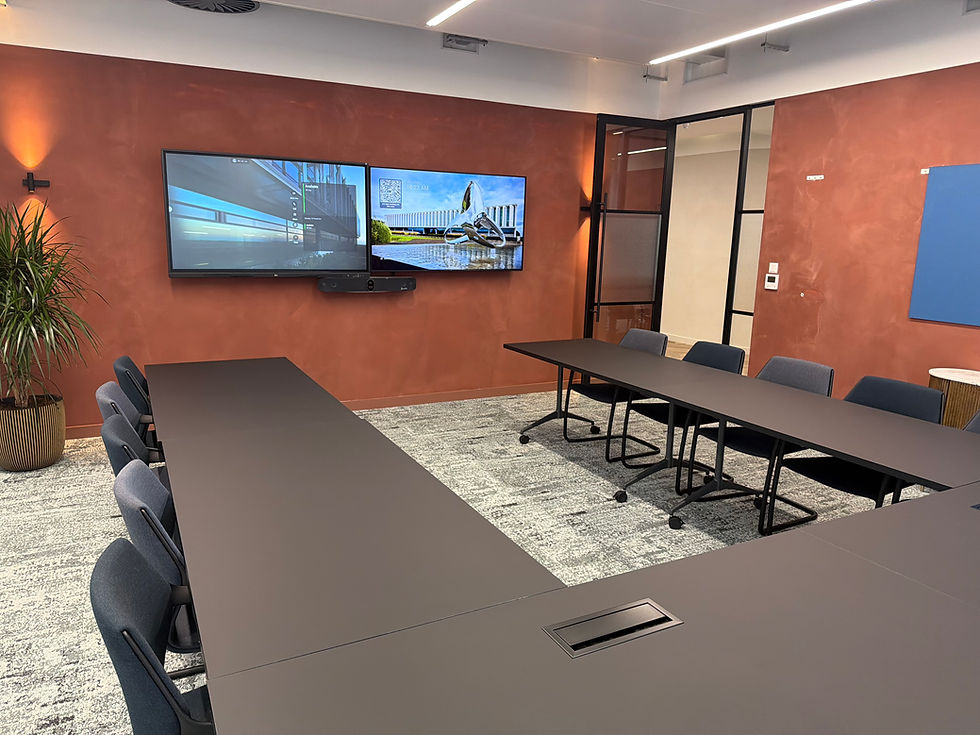 |
What Happens Without a Maintenance Plan
If the benefits of prevention are not convincing enough, consider the true cost of doing nothing.
Reactive call-out fees are significantly higher than scheduled maintenance visits.
Emergency replacements often mean procuring equipment at short notice, with fewer options and higher prices.
Repeated failures damage confidence in your meeting spaces, leading staff to avoid booking them or bring personal devices as a workaround.
Client-facing failures create lasting negative impressions that are difficult to recover from.
Downtime accumulates. A room out of action for two days a month is effectively twelve working days lost per year.
The organisations that invest in AV maintenance programmes consistently report fewer emergency call-outs, lower total cost of ownership, and significantly higher satisfaction scores from the people using their meeting spaces. The data is straightforward.
ACTION: Calculate the real cost of your last three AV-related meeting failures. Include engineer time, productivity lost, any reactive repair fees, and any impact on client relationships. Compare that total against the cost of a structured maintenance programme.
Getting Started With AV Maintenance
If your organisation does not currently have a maintenance programme in place, the starting point is simpler than most people expect.
Begin with an audit. Walk through every meeting room and document what AV equipment is present, when it was installed, and whether any issues have been reported. This gives you a baseline from which to work.
Next, speak to a qualified AV partner about what a maintenance schedule should look like for your estate. The frequency and scope of visits will depend on the size of your meeting room portfolio, the complexity of your systems, and how heavily the rooms are used.
From there, consider whether remote monitoring is appropriate for your environment. For organisations with multiple sites or high-value meeting spaces, the ability to monitor system health in real time is a significant upgrade over waiting for users to report problems.
Finally, establish a clear process for logging and responding to AV issues. Even with a strong maintenance programme in place, things will occasionally go wrong. How quickly and consistently you respond makes a significant difference to user experience and system longevity.
SPOR works with organisations across the UK to design, install, and maintain AV systems that perform reliably day after day. If you want to understand what a maintenance programme would look like for your meeting rooms, start by exploring the resources in the SPOR Learning Centre.
Do you need an AV price and not intereseted in speaking to a sales person? You can get a price using our online estimator here
 IMAGE 4: Team in a well-functioning meeting room |



Comments